
Help is one press away.
A simple SOS wristband for the people you love. When they press it, an alarm sounds at home and an alert pops up on your phone – wherever you are.
- Instant alerts on up to 20 family phones
- Loud alarm and flashing light at home
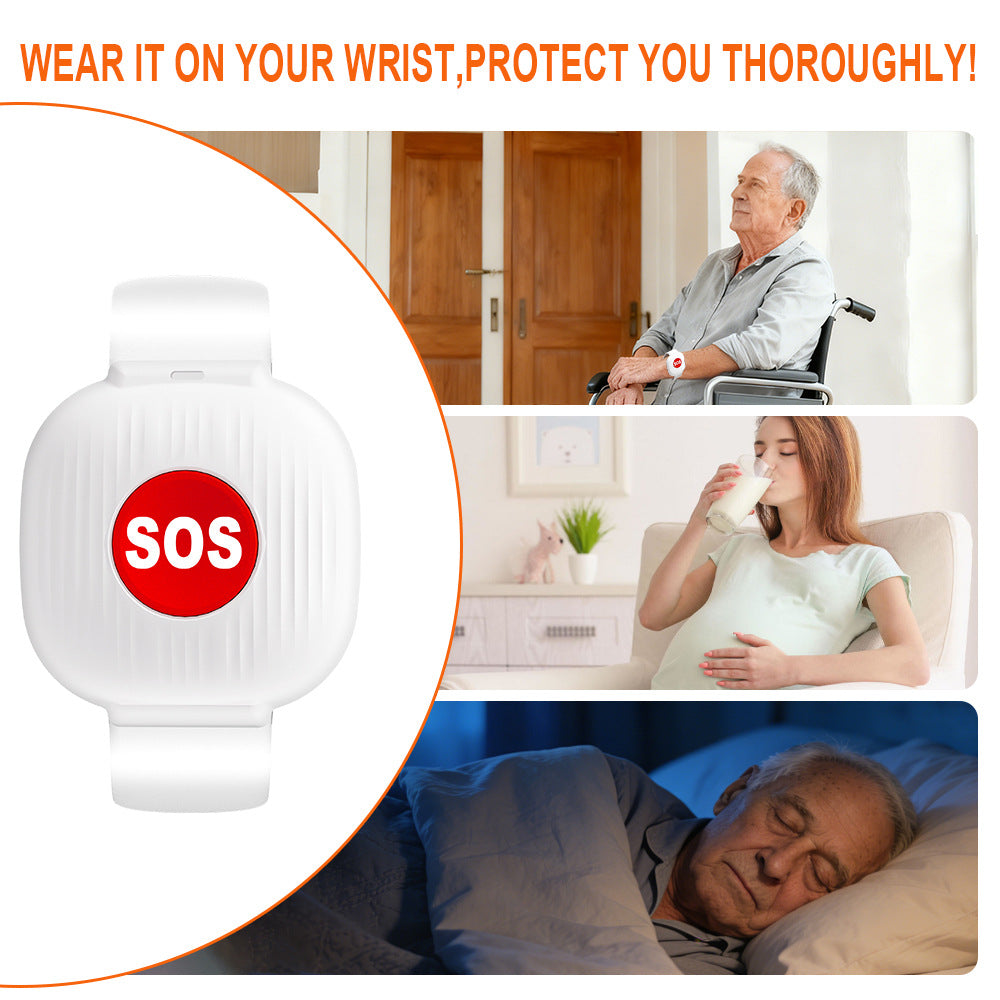
- Water-resistant wristband – easy for any age
30-day returns · 12-month warranty · Secure checkout

You can't always be in the next room.
A parent living alone, a partner recovering from surgery, a grandparent who's a little unsteady on their feet – they need a simple way to reach you, without hunting for a phone or unlocking a screen.
Easy setup. No contracts.
They press the button
Worn on the wrist or around the neck. One press – no screens, no menus, no phone needed.
The hub sounds the alarm
The plug-in hub plays a loud alarm and flashes its light, so anyone at home hears it right away.
Your phone gets an alert
Everyone linked in the free Smart Life app gets a notification instantly – even miles away.
Everything you need in one box
- Wi-Fi smart hub with backup battery
- SOS wristband (water-resistant)
- SOS pendant with lanyard
- Batteries included
Buy 2 kits, save 15% – applied at checkout
Shop now →Simple for them. Peace of mind for you.
Instant phone alerts
A push notification on every linked phone through the free Smart Life / Tuya app.
Loud alarm at home
Siren and flashing light ring, with 5 volume levels and 58 tones to choose from.
Share with up to 20 people
Children, grandchildren, neighbors or a caregiver can all receive the alert.
Water-resistant wristband
Light and comfortable, and it can be worn in the shower.
Works during power cuts
A backup battery keeps the hub running up to ~5 hours and the app tells you when power drops.
No monthly fees
Pay once. App notifications are free – no contracts, no subscriptions.
Is ElderGuard right for you?
ElderGuard is a home caregiver pager – not a monitored medical alert service. Here's how they differ, so you can choose with confidence.
| ElderGuard kit | Monitored alert plans | |
|---|---|---|
| Monthly fee | None | Usually |
| Alerts family phones | ✓ | Varies |
| Alerts you wherever you are | ✓ | Varies |
| Loud alarm at home | ✓ | Varies |
| 24/7 call center | ✗ | ✓ |
| Calls 911 for you | ✗ | Often |
| Button works outside the home | ✗ | Some plans |
Good to know
Does it call 911?
No. It sounds an alarm at home and sends a notification to the phones linked in the free app. It is not connected to 911 or a monitoring center.
Does it detect falls automatically?
No – the SOS button needs to be pressed by the person wearing it.
Do I get alerts when I'm not at home?
Yes. As long as the hub is plugged in and on Wi-Fi and your phone has internet, the alert reaches you anywhere.
What Wi-Fi do I need?
A 2.4GHz network. Most home routers broadcast one; 5GHz-only networks are not supported.
Is there a monthly fee?
No. App notifications are free. Tuya offers optional SMS or call alerts for an extra fee in some regions.
Give them a simple way to reach you.
One-time purchase. No contracts. Free tracked shipping to the US.
Get the kit →ElderGuard is not a medical device. It does not call 911 or detect falls automatically.